What’s New
You can now automatically generate conversation summaries and full transcripts for every Conversation AI session - giving you instant visibility, audit-ability, and actionable insights from AI-driven conversations.
Summaries are generated intelligently based on inactivity, bot sleep events, or session boundaries, and can be saved to contact records, trigger workflows, or sent via email - no manual effort required.
This update introduces a unified, session-based conversation log with powerful automation hooks to drive CRM actions, insights, and follow-ups.
Needs to enabled from Account Labs
How It Works
Conversation summaries and transcripts are generated per session and always reflect the latest session only.
A summary is created when:
- The configured inactivity time expires (no messages from user or bot), or
- The bot is put to sleep due to:
- Maximum message limit reached
- Workflow-based bot sleep
- Stop Bot condition
- Human handover
- Manual or workflow message sent
Each new summary:
- Replaces the previous summary
- Includes only messages sent after the last summary was generated
- Both inbound and all outbound messages are included.
- Summaries and transcripts are generated only for messages that occur while the feature is enabled.
How to Configure
- Navigate to AI Agents → Conversation AI
- Select an existing bot or create a new one
- Go to the Bot Goals tab
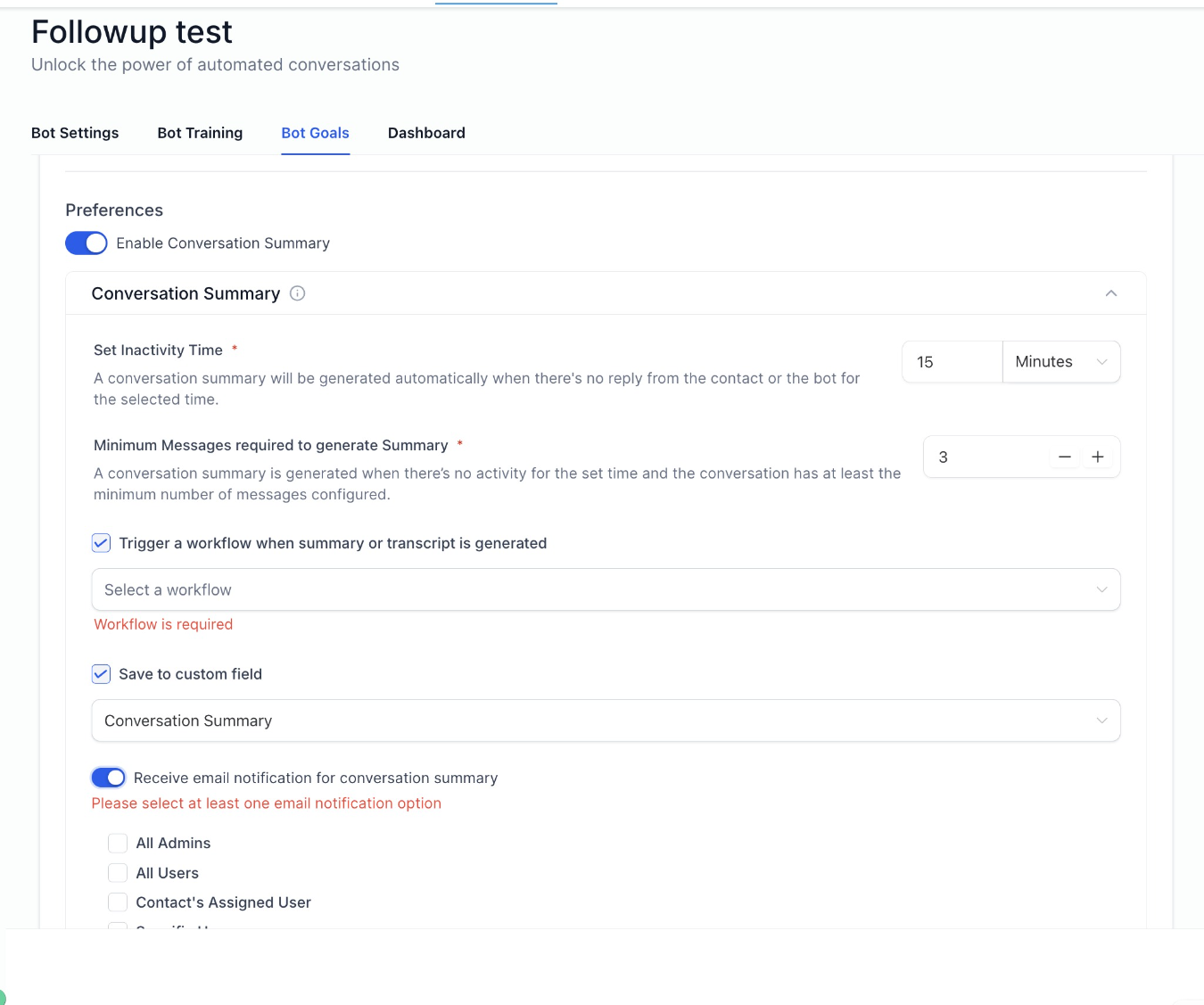
- Enable Conversation Summary
Optional Settings
- Set an Inactivity Time (e.g., 15 minutes)
- Define a Minimum Message Count required to generate a summary
- Automatically save the summary to a contact field (previous summary is replaced)
- Trigger a workflow instantly when a summary is generated
- Configure email notifications for one or more recipients: All admins , All users , Contact’s assigned user, Specific users, Custom email addresses
Workflow & Automation Power
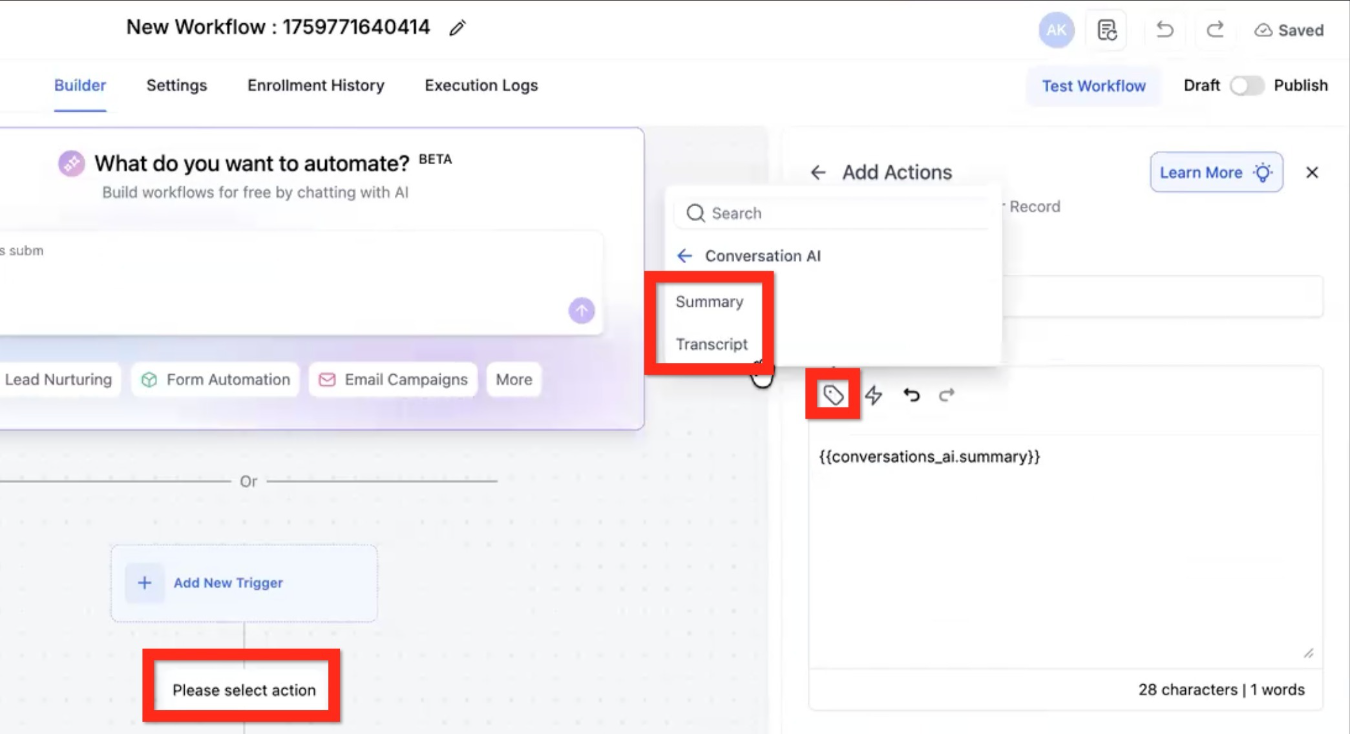
- Trigger workflows without a trigger when a summary is generated
- Access conversation data using workflow variables:
Conversation AI → Summary
Conversation AI → Transcript
Use GPT actions to:
- Generate insights
- Extract key information
- Update contact fields from transcripts
A- ppend multiple summaries or transcripts over time
- Perform advanced CRM automations
Why It Matters
Previously, Conversation AI lacked a centralized, contextual record of past interactions making audits, reviews, and insight extraction difficult.
This update helps you:
- Gain full visibility into AI conversations
- Enable auditing the conversation
- Identify common customer questions to improve FAQs and bots
- Trigger CRM actions automatically based on real conversation outcomes
Was this article helpful?
That’s Great!
Thank you for your feedback
Sorry! We couldn't be helpful
Thank you for your feedback
Feedback sent
We appreciate your effort and will try to fix the article