What's New?
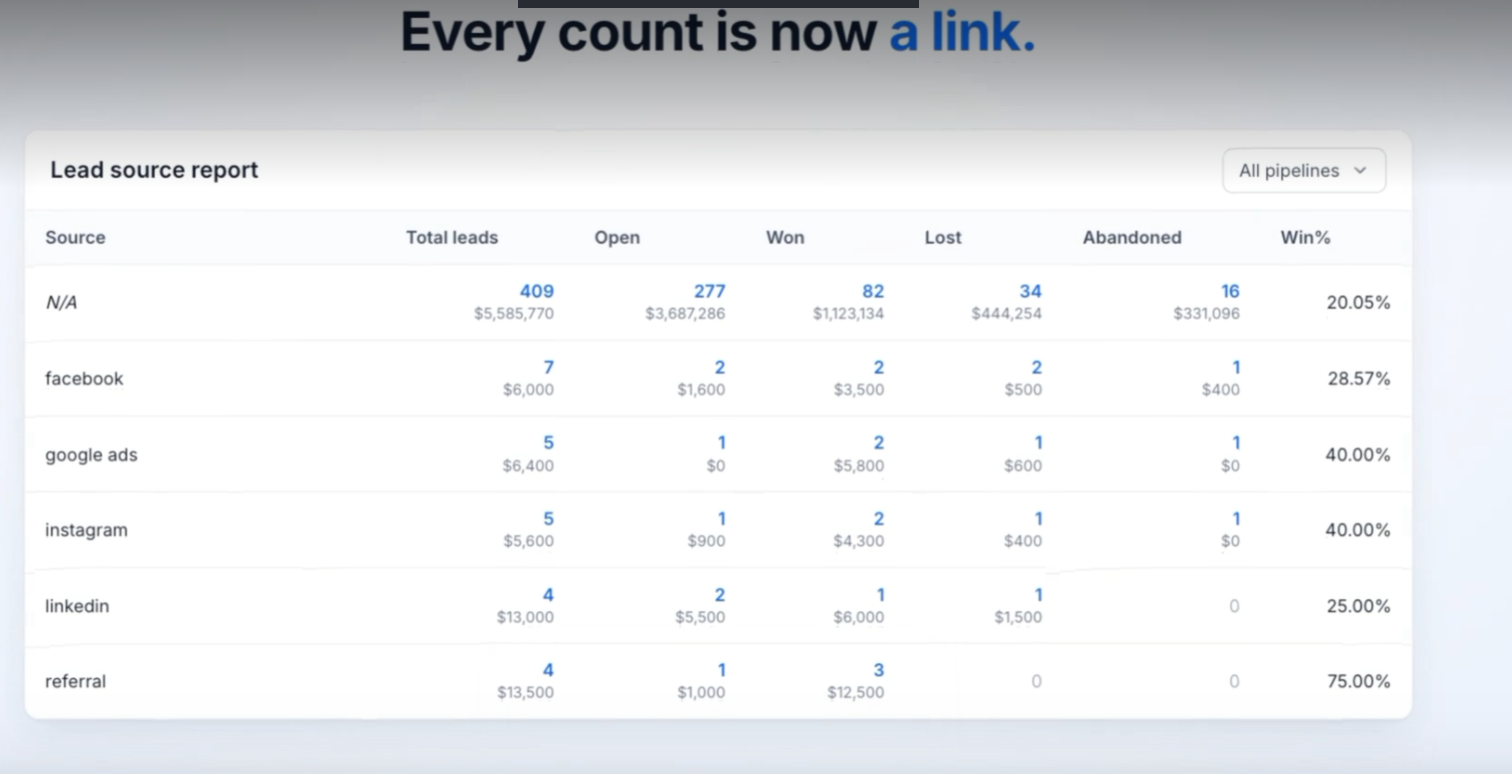
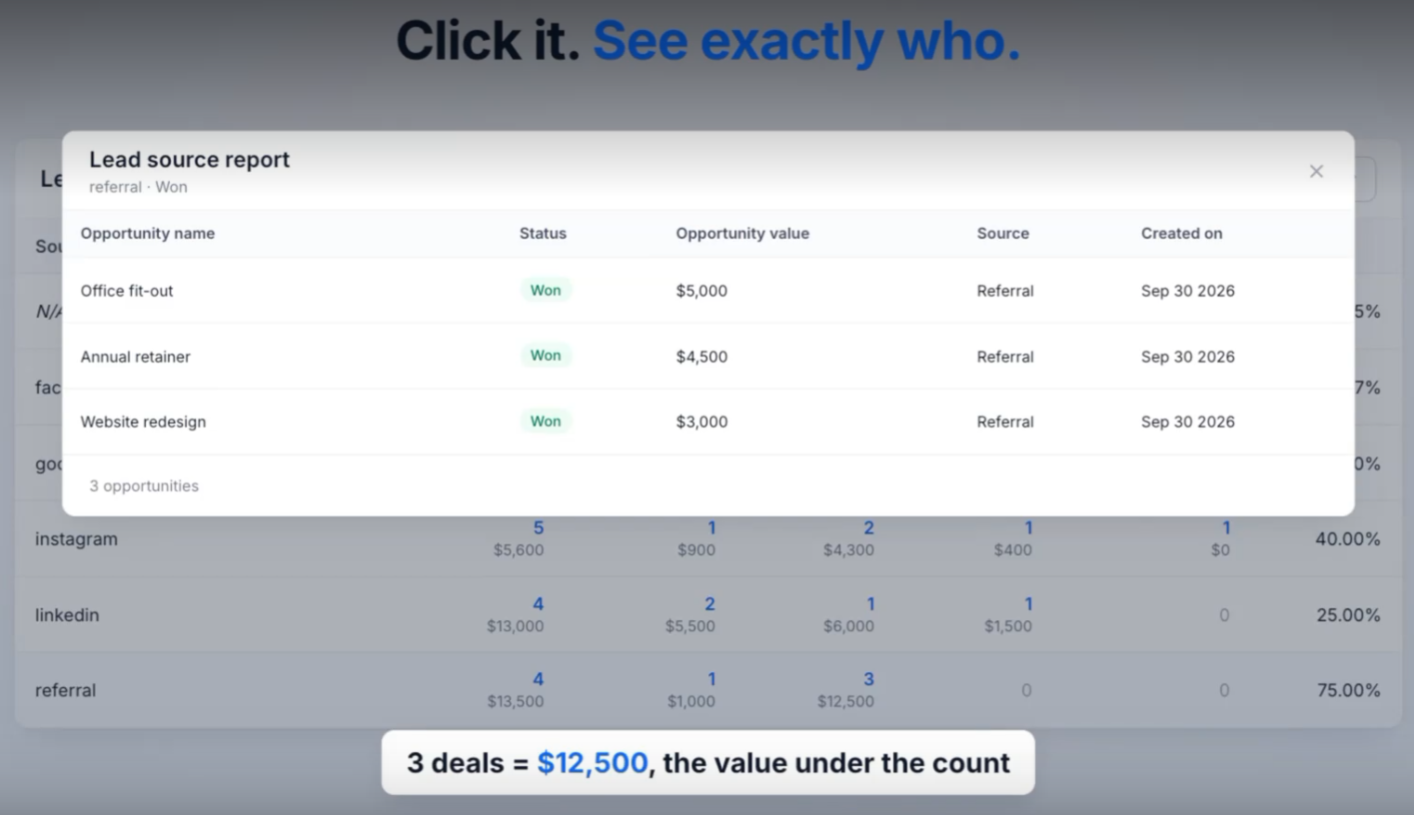
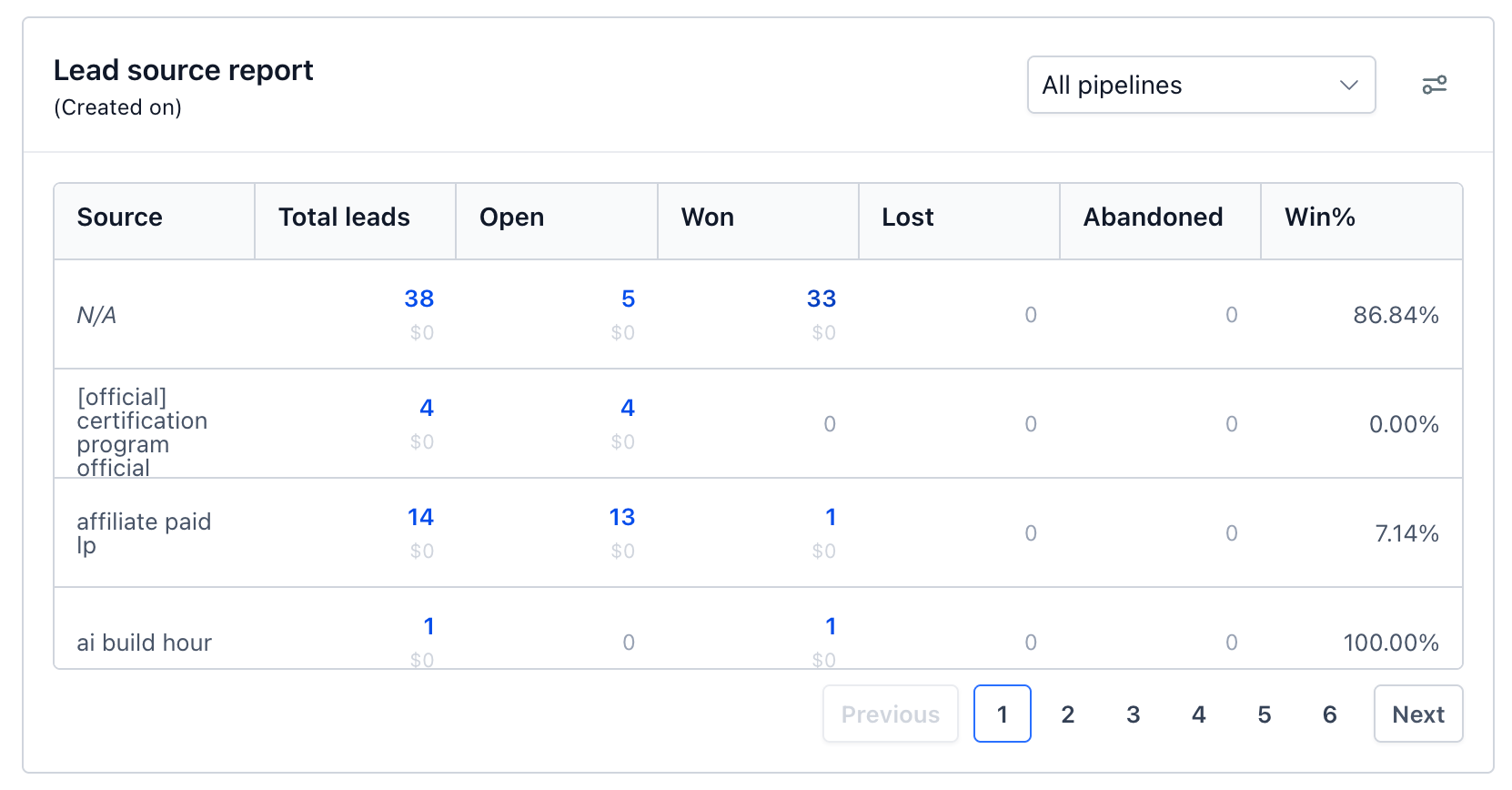
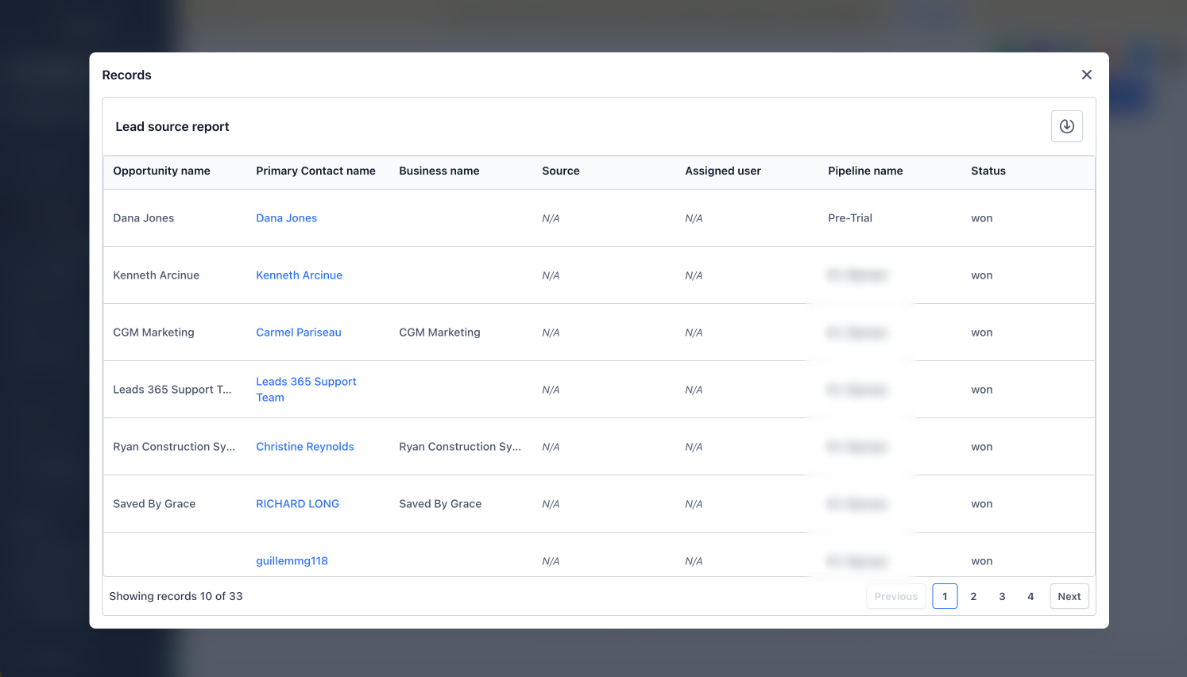
- Drill down into any number:Click any count under Total leads, Open, Won, Lost, or Abandoned to see the exact opportunities behind it.
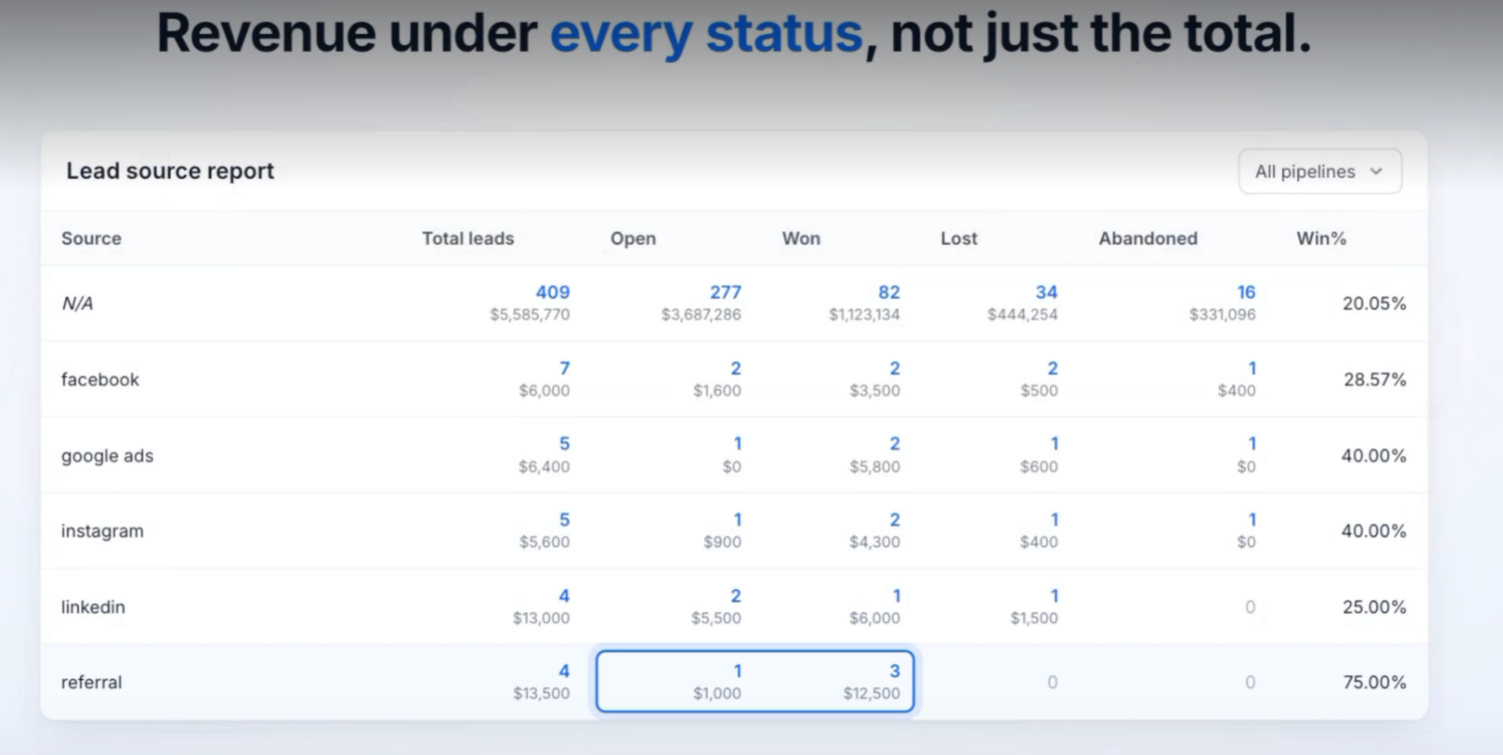
- Value for every status:The report now shows the monetary value for Open, Won, Lost, and Abandoned, not just the total.
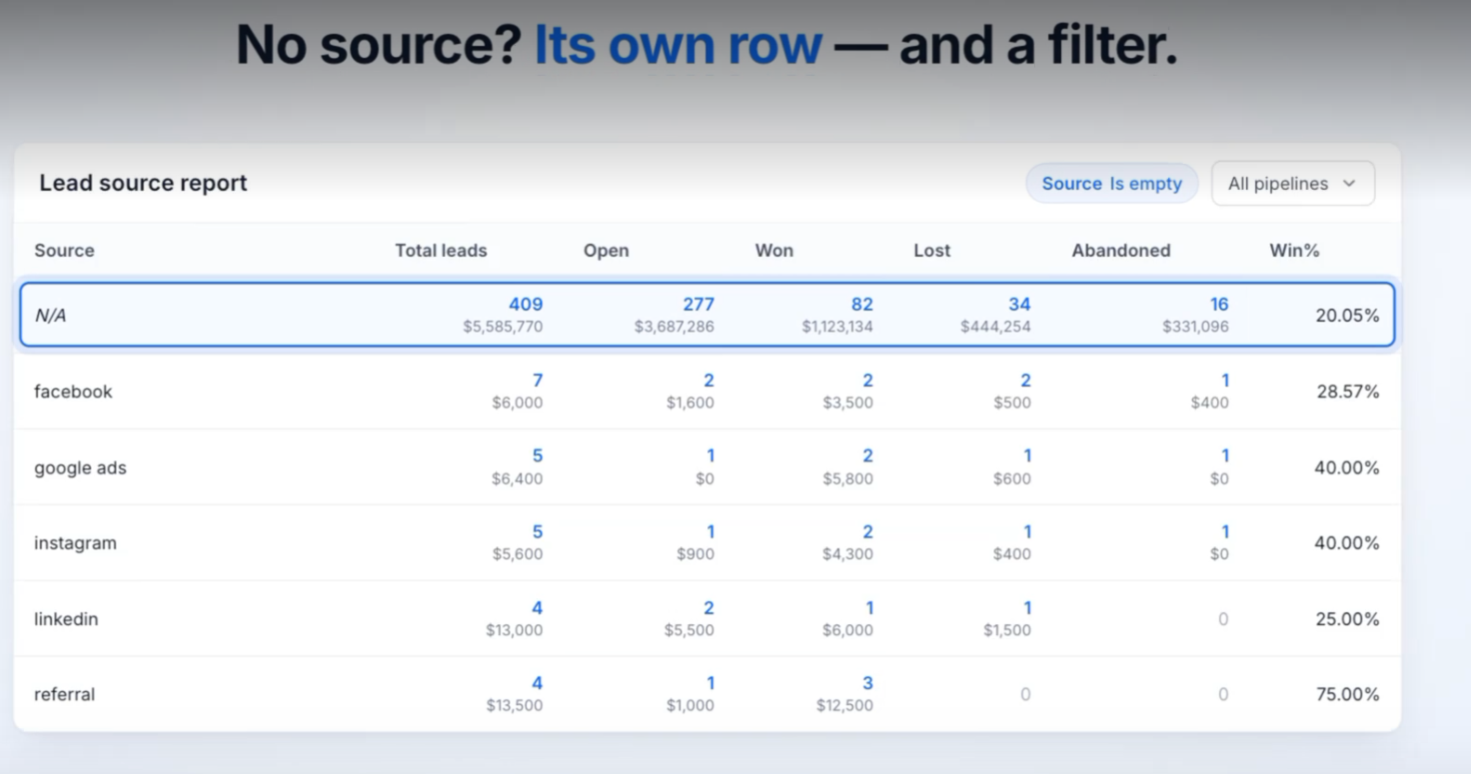
- Find leads without a source:The Source filter now supports "Is empty" and "Is not empty".
- Missing sources are visible:Opportunities without a source now appear as "N/A" instead of being left out.
- Cleaner table layout:Rows have a consistent height and columns stay readable on smaller screens.
How It Works:
- Add the Lead Source Report widget to your dashboard, or open one you already have.
- Each source row now shows both the count and the value for every status.
- Click any count greater than zero to open the list of opportunities that make up that number.
- To check data quality, filter Source by "Is empty" or review the "N/A" row to see which opportunities are missing a source.
Why It Matters:
- From numbers to names— See exactly which leads sit behind a count without leaving the report or searching manually.
- Know what each channel is worth— Compare open, won, and lost value by source to see which channels actually bring in revenue.
- Trust your attribution— Spot and fix opportunities with no source so your channel reporting stays accurate.
What's Next?
- Support for using a custom field as the revenue source in the Lead Source Report.
Notes:
- Values are visible only to users with permission to view lead value.
- Drill-down is available on any count greater than zero.
Was this article helpful?
That’s Great!
Thank you for your feedback
Sorry! We couldn't be helpful
Thank you for your feedback
Feedback sent
We appreciate your effort and will try to fix the article